
In the relentless pursuit of growth, businesses often focus their energy and budget on acquiring new customers. It’s a costly endeavor, with studies showing it can be five to twenty-five times more expensive to acquire a new customer than to retain an existing one. Yet, the true engine of sustainable, profitable growth isn’t a constant stream of new faces; it’s a loyal, engaged, and recurring client base. This is where the strategic power of customer retention automation becomes not just an advantage, but a fundamental requirement for modern business scalability. The core challenge has shifted from simply tracking customer interactions to proactively nurturing relationships at scale. Manual processes—spreadsheets, disjointed emails, and memory-based follow-ups—inevitably break down as you grow, leading to missed opportunities, inconsistent communication, and ultimately, customer churn. The answer lies in systematizing loyalty. By leveraging technology to automate personalized, timely, and value-driven touchpoints throughout the customer lifecycle, businesses can transform retention from a reactive cost center into a proactive, predictable driver of lifetime value. This article will serve as your comprehensive guide to building a robust, automated system for customer retention, moving beyond theory into actionable strategies that foster unwavering client loyalty.
Before diving into the mechanics of automation, it’s crucial to understand the profound economic imperative. The classic rule of thumb from Harvard Business Review notes that increasing customer retention rates by just 5% can increase profits by 25% to 95%. This staggering multiplier effect stems from several compounding factors that automation directly influences. Loyal customers have a higher lifetime value (LTV); they buy more frequently, often purchasing additional products or services. They are less price-sensitive, as their loyalty is tied to the value and experience you provide, not just the cost. Furthermore, they become your most effective marketing channel, providing invaluable word-of-mouth referrals that are both free and highly trusted.

Manual retention efforts, however, have a low ceiling. A dedicated account manager can only personally handle so many relationships before the quality of interaction diminishes. Automation shatters this ceiling. It allows you to apply the principles of high-touch account management—personalization, anticipation, and consistent value delivery—to thousands of customers simultaneously. The goal is not to replace human interaction but to augment it, freeing your team to handle complex, high-value interactions while the system manages the foundational, ongoing nurture. This systematic approach ensures no customer falls through the cracks because someone was busy or a task was forgotten. Every client receives a standardized yet personalized journey designed to reinforce their decision to choose you, again and again.
Effective customer retention automation is not about blasting generic emails on a schedule. It is a responsive, context-aware system driven by the customer’s own actions and lifecycle stage. This requires a detailed map of your customer journey. Every touchpoint, from post-purchase onboarding to renewal and advocacy, presents a critical moment where automated intervention can either strengthen or weaken the relationship.
The journey typically breaks down into key phases: Onboarding & Adoption, Value Realization, Growth & Expansion, and Renewal & Advocacy. In the Onboarding phase, automation ensures a smooth, welcoming start. A triggered email series can guide a new user through setup, while in-app messages can highlight key features. If a user fails to complete a critical first action, an automated alert can prompt a human team member to reach out personally. During the Value Realization phase, automation delivers educational content, success stories, and tips tailored to how the customer is using your product. The system can recognize usage milestones—like hitting 100 projects completed or saving 10 hours—and celebrate them with the customer, reinforcing their success.
The most powerful automations are triggered by specific user behaviors, or a lack thereof. For instance, a decrease in login frequency can trigger a “We miss you” email with a helpful resource or a special offer. A customer who consistently uses a specific feature might receive an advanced tutorial on that very feature. This behavioral triggering transforms your communication from being company-centric to being customer-centric, demonstrating that you are paying attention to their unique experience.
To build this map, you must identify key behavioral signals. These include positive signals (e.g., completing a profile, using a premium feature, reaching a usage threshold) and risk signals (e.g., failed payment, support ticket opened, decline in activity). Each signal becomes a potential trigger for a predefined automated workflow. The sophistication of your customer retention automation strategy is directly tied to the depth of your journey mapping and the granularity of the behavioral data you track and act upon.
Building a system for automated customer loyalty requires a suite of integrated tools, often referred to as a “stack.” This isn’t a single software purchase but a strategic assembly of platforms that work in concert. The core pillars typically include a Customer Relationship Management (CRM) system, an email marketing automation platform, a customer support & success platform, and often, a dedicated customer engagement or journey orchestration tool.
The CRM, like Salesforce or HubSpot, acts as the single source of truth—the central database housing all customer interactions, purchase history, and profile data. Your email and marketing automation platform (which may be part of your CRM or a tool like Mailchimp or ActiveCampaign) uses this data to segment audiences and execute personalized communication workflows. The critical link is the customer support/success platform, such as Zendesk or Intercom, which tracks direct interactions, ticket history, and customer health scores.
The true magic of customer retention automation happens when these systems are integrated via APIs or native connectors. This allows an event in one system to trigger an action in another. For example, when a support ticket is marked “resolved” in Zendesk, it can automatically trigger a satisfaction survey email from your marketing platform and update the customer’s health score in the CRM. Or, a customer’s declining usage score in your product analytics can automatically add them to a “re-engagement” nurture sequence while alerting their assigned customer success manager. This interconnected ecosystem ensures a cohesive, informed, and timely approach to every customer interaction.
Personalization is the heart of effective retention, but in an automated context, it must go far beyond simply inserting a first name into an email template. True personalization in customer retention automation leverages the data in your stack to deliver hyper-relevant content, offers, and messaging that reflects the individual customer’s behavior, lifecycle stage, and perceived value.
This involves dynamic content generation. An email newsletter can have modules that change based on the recipient’s past purchases or viewed articles. A loyalty program offer can be tailored to reward their most frequent activity. For a B2B software company, the content sent to a CEO (focused on ROI and business impact) will be fundamentally different from that sent to an end-user (focused on productivity and ease of use), even if they are from the same company. Automation platforms enable you to define these rules and segments once, and the system executes them flawlessly for every new customer that fits the criteria.
Advanced personalization also considers timing and channel preference. Some customers may prefer SMS for urgent updates but email for newsletters. Automation workflows can be built with conditional logic: “If the customer opened the last three emails but didn’t click, send the next message via SMS.” This level of tailored communication demonstrates respect for the customer’s preferences and dramatically increases engagement rates, directly combating churn.
The pinnacle of sophisticated customer retention automation is moving from reactive support to proactive engagement and even predictive intervention. Instead of waiting for a customer to complain or cancel, the system identifies at-risk customers and initiates a save campaign before they make the decision to leave.

This requires defining and tracking a “Customer Health Score.” This is a composite metric, often built in your CRM or a dedicated platform like Gainsight, that quantifies how well a customer is succeeding with your product. Points can be assigned for positive behaviors (logins, feature adoption, community participation) and deducted for negative ones (support tickets, payment failures, declining usage). Automation rules can then be set: “When a customer’s health score drops below 50, add them to the ‘At-Risk’ segment and trigger a three-email re-engagement sequence, while notifying the CSM for a personal call.”
Machine learning is taking this a step further into predictive analytics. By analyzing historical data of both retained and churned customers, algorithms can identify subtle patterns that human analysis might miss. These models can predict the likelihood of churn for each customer with a high degree of accuracy, allowing businesses to focus their retention resources with surgical precision. Proactive automation, informed by these scores and predictions, transforms retention from a firefighting exercise into a strategic, data-driven discipline.
Structured loyalty programs are a classic retention tool, but when automated, they become incredibly powerful and low-maintenance engines for repeat business. The goal is to systematically reward behaviors that align with increased loyalty and lifetime value, such as repeat purchases, referrals, social shares, and content engagement.
Automation handles the entire lifecycle of a loyalty program. It can instantly enroll a customer upon their first purchase, award points for defined actions (which can be tracked via e-commerce integrations, referral links, or social media APIs), and trigger reward emails when a points threshold is reached. For example, a coffee shop’s app can automatically add a “stamp” after each mobile order and send a push notification when the customer earns a free drink. In a B2B context, a referral program can automatically track when a referred lead becomes a customer, award points to the referrer, and generate a thank-you gift card—all without manual intervention.
Gamification elements like badges, progress bars, and tiered statuses (e.g., Silver, Gold, Platinum) can also be automated. Achieving a new status can trigger a personalized congratulatory email and unlock exclusive benefits, like early access to sales or a dedicated support line. This constant, positive reinforcement loop, managed entirely by your customer retention automation system, makes customers feel recognized and valued, fostering a deeper emotional connection to your brand.
To validate and optimize your automation efforts, you must track the right key performance indicators (KPIs). Vanity metrics like email open rates are less important than business-outcome metrics. The primary north star for any retention program is Customer Lifetime Value (LTV). Effective automation should see a measurable increase in LTV over time. Closely related is the LTV to CAC (Customer Acquisition Cost) ratio; a successful retention strategy will see this ratio improve significantly.
At a more operational level, track Customer Churn Rate (the percentage of customers you lose in a given period) and its inverse, Retention Rate. Segment these rates by cohort (e.g., customers acquired in Q1) to see if your automated onboarding is improving over time. The Net Promoter Score (NPS) is a vital lagging indicator of loyalty; automate its collection through post-interaction surveys and track trends. Finally, monitor engagement metrics within your automated workflows: click-through rates on re-engagement emails, redemption rates for automated loyalty offers, and the health score progression of customers who go through specific nurture sequences. This data provides the feedback loop necessary to continually refine your automation logic for maximum impact.
While powerful, customer retention automation must be implemented with care and ethics. The most common pitfall is over-automation, where the human touch is removed entirely, making interactions feel cold, robotic, and even intrusive. Automation should facilitate human connection, not replace it. Use it to handle routine tasks and identify moments that require a personal call or handwritten note.
Data privacy is paramount. Your systems must comply with regulations like GDPR and CCPA. Be transparent about the data you collect and how it’s used for personalization. Always provide easy opt-out mechanisms. Furthermore, avoid “set and forget” syndrome. Automated workflows require regular auditing and optimization. An email sequence that worked two years ago may now feel stale or irrelevant. Regularly A/B test subject lines, offers, and triggers. Analyze workflow performance data to see where customers are dropping off or disengaging, and refine the paths accordingly. As noted by experts at Forrester, the most successful programs view automation as a dynamic, evolving strategy, not a static installation.
Beginning your automation journey can feel daunting, but a phased approach ensures manageable success. Start by auditing your current customer touchpoints. Where are the manual, repetitive tasks that cause delays or inconsistencies? These are your low-hanging fruit for automation.
Phase 1: Foundation & Quick Wins. Integrate your core systems (CRM, email, support). Automate your post-purchase welcome and onboarding email series. Set up automated birthday or anniversary emails with a small token of appreciation. These simple workflows deliver immediate value and set the stage.

Phase 2: Behavioral Triggers. Implement basic usage tracking. Build workflows for abandoned cart recovery (for e-commerce) or for re-engaging users who haven’t logged in for 30 days. Automate feedback requests after support ticket resolution.
Phase 3: Advanced Orchestration. Develop a formal customer health score. Build predictive churn models and proactive save campaigns. Implement a multi-channel, multi-step loyalty or referral program. At this stage, you are managing a sophisticated, always-on retention engine. Resources from places like Shopify Plus for e-commerce or Technology Advice for software comparisons can provide valuable implementation insights.
Customer retention automation is the definitive strategy for building a resilient, profitable business in the digital age. It represents a fundamental shift from sporadic, effort-intensive relationship management to a scalable, systematic, and data-driven approach to fostering loyalty. By mapping the customer journey, integrating a smart tech stack, and deploying personalized, triggered communications, you create a consistent and valuable experience that keeps clients engaged for the long term. This system does more than just reduce churn; it actively cultivates advocates, increases lifetime value, and transforms satisfied customers into a predictable growth channel. The initial investment in strategy and technology pays exponential dividends in the form of stabilized revenue, reduced marketing costs, and a formidable competitive moat. The journey begins with a single automated workflow. Audit one manual process today, automate it, and measure the impact. That first step is the catalyst for building a self-sustaining engine of loyalty that will power your business for years to come. Ready to systemize your growth? The time to automate your retention strategy is now.
In today’s digital-first marketplace, your website is your most critical asset. It’s your 24/7 storefront, your most persuasive salesperson, and the foundation of your brand’s credibility. For a small business, a well-executed website design is not a luxury; it’s the essential blueprint for growth, customer acquisition, and long-term success. Yet, too many entrepreneurs treat their online presence as an afterthought, leading to missed opportunities and frustrated potential customers. This guide cuts through the noise to provide a strategic, actionable framework for small business website design. We’ll move beyond aesthetics to focus on the core principles that convert visitors into clients, building a site that not only looks professional but actively works to achieve your business goals. Whether you’re building from scratch or overhauling an existing site, the insights here will equip you with the expert knowledge needed to make informed decisions and invest wisely in your digital future.
Think of your website as a key employee who never sleeps, takes no vacations, and can simultaneously greet visitors, showcase your products, answer common questions, and close sales. The return on investment for a strategically designed site dwarfs almost any other business expenditure. A study by Small Business Trends consistently shows that over 80% of consumers research a business online before making a purchase or visiting a physical location. Your site is often the first, and sometimes the only, impression you make. A cluttered, slow, or confusing site tells a visitor you’re outdated or unprofessional, instantly eroding trust. Conversely, a clean, fast, and intuitive small business website design signals competence, establishes authority, and guides the user seamlessly toward taking action. It’s a perpetual marketing engine, capable of generating leads through contact forms, driving foot traffic with clear directions, and building a community via integrated blogs or newsletters. In essence, your website is the central hub that unifies all your other marketing efforts, from social media to email campaigns.

Effective design is far more than choosing pretty colors. It’s a deliberate architecture built on foundational pillars that work in concert. Ignoring any one of these can undermine your entire online presence.
UX is the silent guide of your website. It encompasses every interaction a visitor has, with the goal of making their journey effortless and intuitive. For a local service business, this might mean a prominent “Book a Service” button on every page. For an e-commerce shop, it’s a frictionless checkout process. Navigation must be logical and consistent; users should never have to guess how to find essential information like your contact details, service pages, or pricing. A common mistake is getting creative with menu labels—stick to clear, standard terminology. Breadcrumb trails, a robust search function, and a simple, sticky header menu are non-negotiable elements of professional small business website design. Remember, if a user gets frustrated, they will leave, often for a competitor’s more straightforward site.
This is no longer a recommendation; it’s a mandate. Over half of all global web traffic comes from mobile devices, and Google uses mobile-first indexing. A “mobile-first” approach means designing the mobile experience *first*, then scaling up to desktop, ensuring core content and functionality are paramount on smaller screens. Responsive design is the technical execution, where the site’s layout fluidly adapts to any screen size. Buttons must be easily tappable, text must be readable without zooming, and images must load quickly on cellular data. A site that breaks on a smartphone actively repels customers and will be penalized in search rankings.
Speed is a currency of trust online. Research from Google indicates that as page load time goes from one second to ten seconds, the probability of a mobile user bouncing increases by 123%. Speed impacts user satisfaction, conversion rates, and your SEO. Key factors include image optimization (using modern formats like WebP), leveraging browser caching, minimizing redirects, and choosing a quality hosting provider. A common pitfall for small businesses is using a cheap, shared hosting plan that bogs down during traffic spikes. Investing in solid hosting, like managed WordPress hosting or a reputable cloud provider, is a critical component of your website’s performance and security.
Your content must speak directly to your target customer’s needs and pain points. Avoid generic industry jargon. Instead, use the language your customers use. Explain *how* you solve their problem and the specific benefits they’ll receive. Every page should have a primary goal and a corresponding CTA. A CTA is not just a “Contact Us” link; it’s a persuasive command tied to a value proposition: “Get Your Free Consultation,” “Download the Guide,” “View Our Portfolio.” Use contrasting colors for CTA buttons and place them strategically in the natural flow of content. Vague content and hidden CTAs are the death knell of conversion in small business website design.
While creativity is encouraged, certain pages form the non-negotiable skeleton of an effective business site. Each serves a distinct purpose in the customer’s journey.
Homepage: This is your virtual foyer. Within seconds, it must communicate who you are, what you do, who you serve, and why you’re the best choice. Use a powerful headline, supporting sub-headline, key social proof, and direct pathways to your most important content.
Services / Products Page: Detail what you offer with clarity. For services, explain the process, outcomes, and potential investment. For products, use high-quality images, detailed descriptions, and specifications. This is where you translate features into tangible customer benefits.
About Page: This is your chance to build human connection and trust. Share your story, your mission, and the faces behind the business. Highlight your expertise and what drives you. A strong “About” page can be a surprisingly effective conversion tool, as explained by Copyblogger.
Contact Page: Make it incredibly easy to get in touch. Include a clear contact form, your physical address (with an embedded Google Map), phone number, and email. Listing business hours and expected response times manages customer expectations.

Testimonials / Case Studies Page: Social proof is critical. Showcase reviews, client logos, and detailed case studies that demonstrate successful outcomes. This page provides the external validation needed to tip a prospect from consideration to decision.
Selecting the right platform is a foundational decision. The landscape is dominated by user-friendly builders and powerful Content Management Systems (CMS).
| Platform | Best For | Key Considerations |
|---|---|---|
| WordPress (Self-Hosted) | Businesses needing full control, scalability, and advanced functionality. | Vast ecosystem of themes & plugins. Requires more technical management (hosting, updates, security). |
| Squarespace | Design-focused businesses (creatives, restaurants) prioritizing beautiful templates. | All-in-one hosting. Less flexibility than WordPress but very user-friendly and design-led. |
| Wix | Beginners who want drag-and-drop simplicity and an all-in-one solution. | Ease of use is high, but template switching is difficult. Can become limiting for complex growth. |
| Shopify | Businesses whose primary goal is e-commerce and online sales. | Dedicated, powerful e-commerce features. Transaction fees apply unless using Shopify Payments. |
The build process itself should be methodical. Start with strategy and planning: define goals, audience, and sitemap. Next, create wireframes to layout structure without design elements. Then, develop the visual design (look and feel) and source or create all content—copy, images, videos. Finally, move to development, building the site on your chosen platform, followed by rigorous testing on multiple devices and browsers before launch. A post-launch checklist should include setting up analytics (like Google Analytics 4), submitting the site to search engines, and implementing basic SEO.
Search Engine Optimization cannot be an afterthought. It must be woven into the fabric of your small business website design. This begins with technical SEO: ensuring your site is crawlable, has a clean site structure (using a logical hierarchy of headers), and features a fast, secure (HTTPS) environment. On-page SEO involves optimizing individual pages with target keywords in strategic places like titles, headers, and meta descriptions, while ensuring content is comprehensive and valuable. Local SEO is especially vital for small businesses serving a geographic area. This means claiming and optimizing your Google Business Profile, ensuring your Name, Address, and Phone Number (NAP) are consistent across the web, and garnering genuine customer reviews. Building a few quality backlinks from local directories or industry partners also signals authority to search engines.
Understanding costs prevents sticker shock and ensures you allocate resources effectively. A professional small business website design project is an investment with several components.
DIY with a Website Builder: This is the lowest-cost entry point, typically involving monthly platform fees ($20-$50/month) and possibly premium template costs. The trade-off is significant time investment and limited customization.
Hiring a Freelance Designer: Costs vary wildly by skill and location, but a baseline for a 5-7 page custom site can range from $3,000 to $8,000. This gets you expertise and a tailored solution but requires clear communication and a well-defined project scope.
Working with a Digital Agency: Agency projects often start at $10,000+ and can scale significantly. You pay for a team (strategist, designer, developer, copywriter) and a more robust process, ideal for complex needs or businesses with less time to manage the project.
Ongoing Costs: Every website has recurring expenses: domain registration ($15/year), hosting ($25-$100/month), SSL certificate, premium plugins/themes, and potential maintenance retainers for updates and security (often $50-$200/month). Plan for these from the outset.

Two decades in this field reveal consistent mistakes that hinder small business sites. First is ambiguous messaging. Visitors should understand what you do within three seconds. Avoid clever but unclear taglines. Second is neglecting the content. Beautiful design with thin, generic copy fails to engage or convert. Invest in professional copywriting or dedicate serious time to crafting your message. Third is designing for yourself, not your customer. Your personal aesthetic preferences are secondary to what resonates with your target audience and facilitates their goals. Fourth is launching and forgetting. A website is a living asset. Regular updates, fresh blog content (which supports SEO), and performance reviews are essential. Tools like Google Search Console are invaluable for monitoring health. Finally, ignoring accessibility. Designing for users with disabilities (using proper contrast, alt text for images, keyboard navigation) is a legal and ethical imperative that also improves the experience for all users.
Launch is the beginning, not the end. To know if your website is working, you must measure key performance indicators (KPIs). Traffic volume is a start, but engagement metrics are more telling: Bounce Rate (the percentage of visitors who leave after one page), Average Session Duration, and Pages per Session indicate content relevance. Ultimately, you must track conversions—form submissions, phone calls, booked appointments, or sales. Setting up goals in Google Analytics is crucial. Use this data to iterate. If a service page has a high bounce rate, test rewriting the headline or adding a video. If a CTA isn’t converting, try changing its color or text. This cycle of measure, analyze, and optimize is what transforms a static site into a dynamic growth engine. Consider integrating a tool like Hotjar for heatmaps and session recordings to see how users actually interact with your pages.
Crafting a successful online presence for your small business is a deliberate strategic endeavor, not a box-ticking exercise. It requires a deep understanding of your audience, a commitment to user-centric design, and the integration of performance and SEO fundamentals from the very first wireframe. Your website is the cornerstone of your digital identity—a versatile tool for building trust, demonstrating expertise, and driving measurable business outcomes. By viewing small business website design as a critical investment and following the comprehensive blueprint outlined here, you empower your business to compete effectively, connect authentically with customers, and build a scalable platform for future growth. Remember, a great website is never truly finished; it evolves alongside your business, informed by data and driven by a commitment to serving your customers better. The digital door is open. It’s time to build a welcome mat that invites the world in.
In the crowded digital landscape, capturing a prospect’s attention is only half the battle; the real challenge is engaging them in a meaningful dialogue that builds trust and captures their intent. This is where the strategic power of an interactive quiz for lead generation becomes undeniable. Unlike passive content, a well-crafted quiz demands participation, creating a dynamic two-way exchange. It transforms anonymous visitors into known entities by offering personalized value in exchange for crucial contact information. This article will serve as your comprehensive guide to leveraging interactive quiz lead generation, moving beyond basic theory to deliver actionable strategies for building high-converting quizzes that segment audiences, deliver genuine insights, and consistently fill your pipeline with qualified leads. We’ll dissect the psychology behind their effectiveness, provide a step-by-step framework for creation, and explore advanced tactics for optimization and integration.

To harness the full potential of an interactive quiz, you must first understand why it works so profoundly. At its core, a quiz taps into fundamental human drivers: the desire for self-discovery, the appeal of personalized results, and the satisfaction of game-like interaction. When a user invests mental energy in answering questions, they experience a sense of ownership over the outcome. This investment, known as the IKEA Effect, makes the subsequent personalized result—their “reveal”—far more valuable to them than a generic ebook or whitepaper they simply downloaded. This perceived value dramatically lowers the resistance to submitting an email address.
Furthermore, quizzes are exceptional at qualifying leads in real-time. Each answer choice can be tagged to indicate a user’s specific pain point, stage in the buyer’s journey, or product interest. By the time they reach the lead capture form, you’re not just asking for an email; you’re offering a tailored solution based on the data they’ve already voluntarily provided. This creates a seamless and logical value exchange, making your interactive quiz lead generation efforts feel less like a transaction and more like the next step in a helpful conversation. The interactive format also generates significantly higher engagement metrics—time on page, scroll depth—which are positive signals to search engines, creating a virtuous cycle of visibility and conversion.
Launching a successful quiz requires more than just a random question generator. It demands a strategic blueprint aligned with your business objectives. The first, and most critical, step is defining a clear goal. Are you aiming for top-of-funnel awareness, mid-funnel nurturing, or bottom-funnel product qualification? Your goal dictates every subsequent choice, from quiz topic to question design.
Next, identify your target audience’s burning question. The quiz should be positioned as the definitive tool to answer it. For a B2B software company, this might be “What’s Your Ideal Project Management Workflow?” For a wellness coach, it could be “What’s Your Primary Stress Type?” This topic must be intrinsically linked to your expertise and service offering. The quiz itself is the hook, but the results and follow-up sequence are where the real marketing magic happens, directly fueling your interactive quiz lead generation engine.
A potent quiz has four key components: an irresistible title, a logical question flow, a personalized results page, and a strategic opt-in. The title should promise a specific, desirable outcome. Questions should progress from broad to specific, feeling conversational rather than interrogative. Use a mix of question types (multiple choice, image selection, sliders) to maintain engagement. Crucially, the opt-in for the results should come after the user has completed the questions, leveraging their anticipation. The results page is your final pitch—it should provide genuine insight while naturally presenting your service or product as the logical next step to act on those results.
The questions are the engine of your interactive quiz. Each one serves a dual purpose: to engage the user and to gather segmentation data. Start with 7-10 questions to balance depth with completion rates. Early questions can be broader to build momentum, while later questions should drill down into specific challenges or preferences that map directly to your offerings.
For effective lead segmentation, design answer choices that correlate to different customer profiles or pain points. For instance, in a quiz about marketing readiness, answer choices like “I’m just starting to build a plan” and “I have a plan but need better tools” will route users into distinct nurturing pathways. This data is gold for your lead scoring and email automation systems. By integrating your quiz platform with your CRM, you can automatically tag and score leads based on their answers, ensuring sales teams follow up with context and marketing delivers hyper-relevant content. This precision transforms a simple lead generation tool into a sophisticated sales intelligence asset.
A brilliant quiz is useless without an audience. A multi-channel promotion strategy is essential. Start by embedding the quiz prominently on relevant blog posts and resource pages. Promote it via your email newsletter and social media channels, using eye-catching visuals or short video teasers of the results. Consider a dedicated landing page with strong SEO elements, targeting long-tail keywords related to your quiz topic. Paid social ads can be highly effective for quiz promotion, as the interactive format often earns lower cost-per-lead than traditional lead magnets.

Optimization is an ongoing process. Use A/B testing to experiment with different titles, cover images, and question phrasing. Analyze the drop-off rates at each question to identify friction points. Test the placement and copy of your email opt-in gate. Tools like Hotjar can provide session recordings to see how users interact with your quiz. Furthermore, ensure your quiz is fully mobile-responsive; a significant portion of users will engage on smartphones. By continuously refining these elements, you systematically increase the efficiency of your interactive quiz lead generation funnel.
A high-converting interactive quiz operates as a five-stage funnel: 1) Attract with targeted promotion. 2) Engage with compelling questions and a smooth user experience. 3) Convert by gating personalized results behind an email opt-in. 4) Segment leads automatically based on quiz answers. 5) Nurture with automated email sequences tailored to each segment’s revealed needs.
The moment a user submits their email is when your real work begins. The integration between your quiz platform and your marketing stack is critical. Use a platform like Interact or Outgrow that seamlessly connects with email service providers like Mailchimp or ActiveCampaign. This allows for the automatic triggering of personalized email sequences based on the user’s quiz outcome.
The first email, delivering the quiz results, is your most important. It must deliver on the promised value with clear, visually appealing, and actionable insights. Immediately after, launch a tailored nurture sequence. For a user who quizzed as a “Beginner,” send educational content and case studies. For the “Advanced” user, offer a product demo or a consultation. This relevance dramatically increases open rates, click-through rates, and sales conversions. According to a Evergage study, 88% of marketers report measurable improvement from personalization. Your quiz provides the foundational data to execute this at scale, making it a cornerstone of a sophisticated content marketing strategy.
To prove and improve the ROI of your interactive quiz lead generation, you must track the right key performance indicators (KPIs). Vanity metrics like total quiz takes are less important than conversion-centric data. Focus on:
Use Google Analytics to set up goals tracking the quiz completion and opt-in events. Monitor these metrics monthly to identify trends and opportunities for optimization. A successful quiz should consistently deliver a lower CPL and a higher SQL rate than many traditional content offers, solidifying its role in your marketing portfolio.
Once you’ve mastered the basics, explore advanced applications. Use quizzes for product recommendations, like a skincare brand guiding users to their perfect regimen. In B2B, create a “ROI Calculator” quiz that functions as an interactive qualification tool. You can also repurpose quiz data for content creation; aggregate results to publish compelling “State of” reports or infographics, which can then drive more traffic back to the quiz. A Content Marketing Institute case study highlighted how a simple style quiz generated thousands of leads for a retail brand by making product discovery fun and personal.
Consider the following table comparing a traditional ebook lead magnet to an interactive quiz:

| Aspect | Traditional Ebook/Whitepaper | Interactive Quiz |
|---|---|---|
| User Engagement | Passive consumption | Active participation |
| Data Collection | Basic (email only) | Rich, behavioral & demographic |
| Perceived Value | Static, one-size-fits-all | High, due to personalization |
| Lead Qualification | Occurs after download via nurture | Occurs during interaction |
| Shareability | Low | High (users share results) |
Furthermore, ensure your quiz strategy adheres to data privacy regulations like GDPR. Be transparent about data usage, provide easy opt-outs, and choose quiz platforms that are compliant. Resources from FTC guidelines on lead generation can provide valuable legal context.
An interactive quiz is far more than a fleeting marketing trend; it is a sophisticated engine for demand generation and customer insight. By strategically combining engagement psychology with data-driven automation, you create a self-perpetuating system that attracts, qualifies, and nurtures leads with remarkable efficiency. The journey from a vague audience to a segmented, known prospect happens not over weeks of content consumption, but in the few minutes it takes to complete a well-designed quiz. This powerful mechanism for interactive quiz lead generation delivers qualified contacts directly into tailored nurturing pathways, dramatically shortening sales cycles and increasing marketing ROI. The initial investment in crafting a resonant quiz, building intelligent email sequences, and integrating your tech stack pays compounding dividends in lead quality and sales alignment. Stop relying solely on passive content and start building dynamic conversations. Audit your current lead generation offers today, identify one core audience question, and commit to building your first strategic quiz. The data, engagement, and pipeline growth you unlock will redefine your perception of what content marketing can truly achieve.
Most SEO problems are not mysterious. They’re simply buried under noise. You open Search Console, you see impressions rising but clicks flat. You run a crawler, you get hundreds of warnings. You check site speed, you get a score that feels more like a judgment than a diagnosis. Then the real question shows up: which issues are actually holding rankings back, and which are just technical static?
A strong SEO audit service answers that question with clarity. Not by listing everything that could be improved, but by identifying the constraints that are actively limiting organic growth and then translating them into a fix plan your team can execute. When the audit is done well, it doesn’t feel like a report. It feels like a prioritized roadmap that ties technical health, on-page relevance, content quality, and authority signals into one coherent growth system.
This article focuses on the type of audit that makes the biggest difference for modern search performance: one that treats Core Web Vitals and user experience as part of SEO, not as a separate “web dev task,” and one that connects performance work directly to crawlability, indexation, topical authority, and conversion outcomes. You’ll learn what a serious SEO audit includes, how it prioritizes issues, what deliverables you should expect, and how to turn audit findings into measurable results over the next 30 to 90 days.

Tools are excellent at detection. They are far less reliable at prioritization. That’s the first difference between a tool report and an SEO audit service: an audit is not a scan. It is an interpretation layer that connects technical findings to ranking constraints and business goals.
A tool can tell you that a page has multiple H1 tags, that images are heavy, or that there are 3xx redirects. Those facts matter sometimes, but not always. What you really need to know is whether those issues are preventing your best pages from being crawled efficiently, whether they’re confusing search engines about which page should rank, or whether they’re creating a user experience that causes people to abandon your site before they convert. A human-led audit translates “issues” into “impact.”
A serious SEO audit service typically works like a diagnostic engagement. It starts by understanding what “winning” means for your site (leads, bookings, eCommerce revenue, pipeline influence, or brand visibility). Then it evaluates the site through four lenses that search engines and users care about: discoverability (can engines find and crawl your content), clarity (can engines understand topic and intent), credibility (does the site appear trustworthy and authoritative), and experience (does the site deliver value quickly and smoothly on real devices).
That last lens is where modern audits have evolved. Core Web Vitals are not just “speed scores.” They represent stability and responsiveness signals that shape user behavior. If your pages are slow to render meaningful content, if they shift unexpectedly, or if interactions feel delayed, users leave and conversions drop. Over time, that behavior becomes part of your site’s performance reality. The best audits therefore treat performance as both an SEO factor and a revenue factor, and they integrate it into the same prioritization model as content and technical SEO.
Finally, a real SEO audit service ends with a plan. The plan is what you pay for. It should tell you what to fix first, why it matters, how to fix it, who needs to do the work, and how you’ll measure progress. If an audit ends with “here are 200 issues,” it’s not an audit. It’s an export.
Core Web Vitals matter because they measure something search engines are indirectly trying to reward: pages that satisfy users without friction. In practice, this is where many sites lose organic opportunity. You can rank, but you can’t hold the click. Or you can earn traffic, but the conversion rate underperforms because the experience feels heavy, unstable, or confusing on mobile.
In an audit context, performance is also about crawl efficiency. When a site is bloated with scripts, heavy assets, and unnecessary page variations, crawlers spend more resources on less important pages. That can slow down how quickly your new or updated content is discovered and indexed. If your content strategy depends on publishing and refreshing content regularly, performance becomes a compounding advantage: faster discovery, smoother user experience, and better retention of rankings.
A meaningful audit does not chase perfect lab scores at all costs. Instead, it identifies the biggest performance bottlenecks that impact real users. That typically includes render-blocking scripts, oversized media, inefficient fonts, heavy third-party tags, and unstable layout behaviors that create friction. The goal is to improve experience without creating fragility (for example, “optimizations” that break design components or tracking).
Performance improvements also change how your site feels in the market. In competitive niches, the difference between a slow, cluttered page and a fast, calm page can be the difference between a bounce and a sale. That’s why Core Web Vitals belong inside an SEO audit service: they’re not just “technical.” They’re part of how your content competes.
Great SEO performance is rarely the result of one fix. It’s the result of alignment: technical foundations that allow search engines to crawl and understand the site, content that matches intent and demonstrates expertise, and authority signals that confirm trust. A complete audit covers all of these, but it doesn’t treat them as separate silos. It shows how they interact.
For example, you might have strong content, but weak internal linking and a messy taxonomy. That can cause your best pages to be under-discovered and under-valued, while thin archive pages soak up crawl attention. Or you might have a technically clean site, but content overlap (keyword cannibalization) that causes your own pages to compete, preventing any one page from becoming the clear authority. Or you might have solid relevance but weak credibility signals, where competitors win because they appear more trustworthy, more cited, and more consistent across the web.
Below is what a robust SEO audit service typically includes. This is intentionally one of the sections that uses bullets, because each component is distinct but needs deeper explanation to be actionable.
When these areas are evaluated together, the audit becomes a map of constraints rather than a list of tips. You stop guessing and start focusing on the levers that matter.

Prioritization is the difference between an audit that gets implemented and one that gets archived. The reality inside most businesses is simple: your team has limited time, limited dev capacity, and competing priorities. If an audit doesn’t rank fixes by impact and effort, it won’t change outcomes, because everything will feel urgent and nothing will get finished.
A strong SEO audit service uses a prioritization model that includes three dimensions. Impact is the expected SEO and business upside of fixing the issue. Effort is the time and complexity required, including dependency on developers, designers, or content teams. Risk is the probability that changes will break something or cause temporary volatility (for example, URL changes, canonical shifts, major template rewrites).
High-impact, low-effort fixes are your fast wins. These often include resolving accidental noindex tags, fixing broken internal links, correcting canonical errors, compressing images on heavy templates, and clarifying titles and headings on pages that already receive impressions. High-impact, higher-effort fixes include structural improvements such as taxonomy cleanup, internal linking strategy execution across many pages, template performance refactoring, and consolidating competing content clusters. Lower-impact fixes can still be worthwhile, but they should not crowd out the work that drives measurable movement.
A professional audit also respects sequencing. Some fixes should be done before others. For example, it’s usually unwise to rewrite dozens of pages before resolving index bloat and cannibalization, because you may be improving the wrong URLs. It’s also unwise to chase “content expansion” on pages that are slow, unstable, or hard to navigate, because experience friction can suppress both rankings and conversions. Sequencing makes the plan executable.
Another sign of audit maturity is how it handles trade-offs. Not every fix is “free.” You might improve speed but lose a marketing script. You might consolidate pages but temporarily disrupt internal stakeholder ownership. You might change site structure and need redirects, which can create short-term volatility. A strong audit does not pretend these trade-offs don’t exist. It makes them explicit and recommends the safest path to results.
Deliverables matter because they determine whether the audit becomes action. A “PDF report” is not inherently bad, but it’s rarely enough. Your team needs a plan that can be executed across roles, tracked over time, and revisited as progress is made. That means the audit should produce both insight and implementation artifacts.
This is another place where a small numbered list helps, because a good audit has a predictable set of outputs. Each deliverable below includes what it should contain and why it matters in practice.
If these deliverables are missing, the audit may still contain useful insights, but it will be harder to operationalize. In many organizations, the audit’s value is determined less by what it discovers and more by how effectively it enables execution.
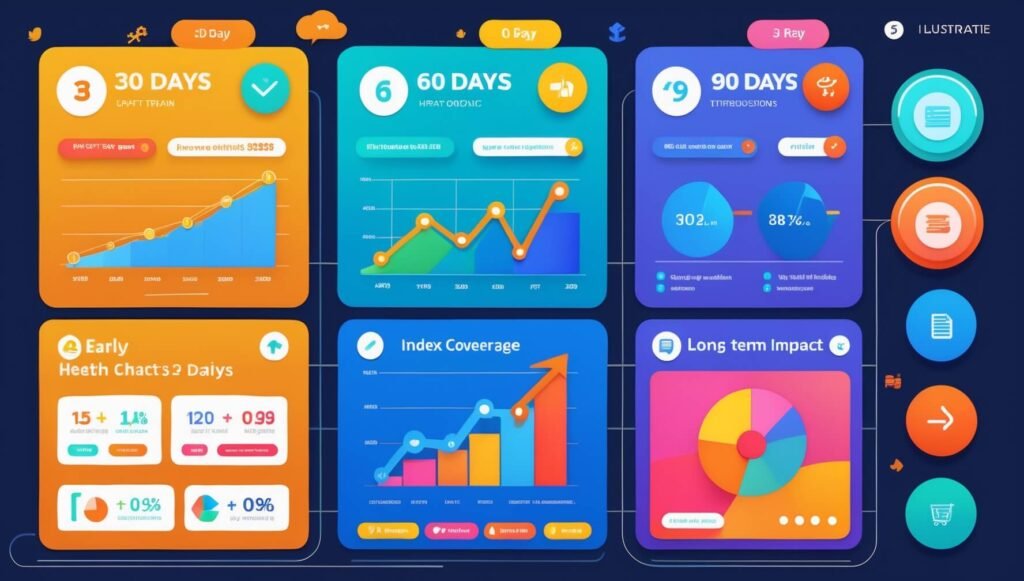
An SEO audit becomes powerful when it becomes a cadence. Instead of “audit once, fix forever,” the best teams treat audits as a reset point, then run implementation in phases that produce visible progress while building long-term stability.
The plan below is designed to be realistic in a normal business environment, where developer time is limited and content work must be scheduled. It’s also designed to align speed improvements with search performance improvements, because the two often reinforce each other.
Throughout these phases, measurement should be continuous. You want to see technical indicators (indexation health, crawl stability, performance improvements) move in parallel with search indicators (query movement, impression growth, click-through improvement). When those indicators move together, confidence increases and investment decisions become easier.
One final point matters more than most people expect: your audit should lead to habits, not just tasks. The moment you stop treating SEO as a project and start treating it as a practice—publishing with intent, maintaining content, monitoring technical drift, and improving templates—the returns become more predictable.
Choosing an SEO audit provider is a credibility decision. You’re not buying a report; you’re buying the quality of the diagnosis and the usefulness of the plan. The best providers don’t just show you what’s wrong. They show you why it’s wrong, what to do about it, and how to sequence fixes to produce results without causing unnecessary volatility.
When you evaluate providers, look for a few signals. First, they ask business questions early: what outcomes matter, what your funnel looks like, which pages generate revenue, and what constraints exist on implementation. Second, they talk about prioritization and execution, not just findings. Third, they demonstrate template-level thinking: they understand that fixing a template is more powerful than fixing 500 pages one by one.
Also watch how they talk about Core Web Vitals. If the provider treats performance as purely a “score chase,” be cautious. If they treat performance as a user experience system—reducing script weight, stabilizing layouts, improving responsiveness—they’re more likely to deliver improvements that matter in the real world.
Finally, ask how they’ll support implementation. Some audits include live walkthroughs with your team, developer tickets, or collaborative planning. Others deliver a report and disappear. If your organization needs help translating findings into tasks, choose a provider that can bridge that gap. The audit only becomes valuable when the work gets done.
A brand’s reputation used to travel by word of mouth; now it travels by search results. One negative article, one outdated directory listing, or one page-two complaint can quietly become the “first impression” that customers, partners, candidates, and journalists encounter before they ever speak to you. Online reputation management (ORM) exists to reshape that first impression—not by pretending criticism doesn’t exist, but by ensuring the most accurate, credible, and current representation of your brand is what people find first.
Speed becomes a strategic factor the moment reputational risk is time-sensitive. When you publish a clarification page, secure a positive third-party mention, or update outdated information, waiting weeks for search engines to discover and index those URLs can feel like watching the narrative drift without you. That’s where a rapid URL indexer can appear attractive: it promises faster discovery and indexing so your best assets can enter the search ecosystem sooner.
This article explains how to use online reputation management with rapid URL indexer responsibly and effectively. You’ll learn what rapid indexing can and cannot do, how to build the content “asset layer” that actually pushes down negative results, how to avoid tactics that backfire, and how to measure progress in a way that turns ORM into an ongoing system rather than a one-off crisis response.
Online reputation management is the coordinated practice of monitoring what appears about a brand online, improving the accuracy and prominence of trustworthy information, and reducing the visibility and impact of misleading, outdated, or unfair content. The practical target is not “the internet” in general; it’s the specific surfaces where perception forms most quickly—branded search results, review platforms, social profiles, knowledge panels, and high-authority third-party sites.
A rapid URL indexer, in this context, is any method or tool designed to accelerate the discovery and indexing of URLs by search engines. Some approaches are legitimate and platform-aligned (for example, submitting sitemaps, using Search Console features where available, improving internal linking, and ensuring fast crawlable pages). Other approaches operate in murkier territory, sometimes relying on spam-like signals, questionable networks, or low-quality “ping” tactics that may not produce sustainable benefits and can create reputational or SEO risk.
The first expectation to set is a vital one: indexing is not ranking. A page can be indexed quickly and still remain invisible in meaningful search results if it does not deserve prominence for the query. ORM success depends on building assets that are credible, useful, and clearly tied to the brand entity. Rapid indexing only helps when it reduces the time it takes those assets to enter the competitive field.
The second expectation is equally important: ORM is not synonymous with “suppression.” Responsible ORM does not attempt to erase legitimate criticism. Instead, it works to ensure that search results reflect reality with appropriate context. In many cases, the best reputational outcome is achieved not by attacking negative content, but by strengthening the presence of accurate information, transparent explanations, customer proof, and third-party validation that allows decision-makers to see the full picture.
The third expectation is about timelines. You can accelerate discovery, but authority and trust compound over time. If you’re trying to outrank an entrenched negative result from a high-authority publication, you will likely need a multi-asset approach, careful on-page optimization, and earned credibility. Rapid indexing can shorten the “time to enter,” but not the “time to win” on competitive SERPs.
With those guardrails in place, rapid URL indexing becomes a tactical accelerator inside a broader ORM system—not a silver bullet, and not a substitute for strong content and credibility.

Search engines move through three related stages: crawling, indexing, and ranking. Crawling is discovery—finding URLs via links, sitemaps, feeds, and other signals. Indexing is interpretation—processing content, understanding entities, and deciding whether a URL should be stored and eligible to appear in results. Ranking is selection—choosing which indexed pages best satisfy a query, given relevance, authority, and user experience signals.
ORM problems often feel urgent because the “ranking” surface is what the public sees, yet your immediate control is frequently on the “indexing” surface. You can publish a response, fix a misleading page, or release a new brand story, but none of that matters until the content is discoverable and indexed. That is the window where rapid indexing has real practical value: it narrows the gap between publishing and eligibility.
Still, the role of speed is easy to misunderstand. Speed matters most in situations like these: a crisis where your clarification page must be discoverable quickly; a product recall or policy update where outdated information is dangerous; a brand name change where old identities must be replaced; a PR placement or thought leadership piece where timeliness affects distribution; or a campaign that depends on search visibility during a short window.
Speed matters less when the bottleneck is authority. If negative results dominate because they come from powerful domains and your brand has weak third-party footprint, getting your new pages indexed faster won’t change the underlying balance of credibility. In those cases, speed is still helpful, but the priority must shift to building a stronger asset portfolio and earning signals that search engines interpret as trustworthy.
Another overlooked factor is “quality gating.” Search engines can delay indexing, de-prioritize crawling, or even exclude pages that look thin, duplicative, or low value. In ORM, that can happen when people publish rushed “reputation repair” pages that read like marketing fluff, or when they create multiple near-identical pages targeting the brand name without unique value. In other words, speed tactics can fail simply because the assets are not index-worthy in the first place.
Rapid indexing works best when it amplifies a strong foundation: technically accessible pages, clear entity signals (brand name, organization info, consistent profile references), useful content that answers real questions, and internal linking that gives crawlers a clear map. When those fundamentals are in place, indexing acceleration can meaningfully shorten your time-to-impact.
Finally, remember that search results are not the only surface where reputation forms. Social profiles, review platforms, and professional directories often rank because their domains are strong and their pages are entity-centric. A smart ORM program uses those ecosystems as reputation anchors rather than trying to force everything onto a single website. Rapid indexing is part of the search layer; it should be paired with credibility across the broader web.

Reputation management becomes far easier when you think in “assets” rather than “posts.” Assets are pages that can rank for branded or semi-branded queries and that convey credibility quickly. A single blog post with generic advice is rarely an asset. A strong About page, a leadership bio with verified credentials, a clear policy page, a press page that aggregates credible mentions, and authoritative third-party profiles are assets.
The asset layer does two jobs at once. First, it makes your brand easier to understand, which improves search engines’ confidence in your entity. Second, it increases the number of high-quality pages that can occupy branded SERP real estate, which reduces the probability that negative or irrelevant pages dominate the first page.
Owned assets on your website should be designed for clarity, not for hype. When someone searches your brand name, they are typically looking for basic truth: who you are, what you do, where you operate, how to contact you, whether you’re legitimate, and what others say about you. Pages that answer those questions explicitly tend to perform better than pages that sound like polished advertisements.
Earned and shared assets are equally important because third-party credibility is a reputational accelerant. Search engines often trust established publications, industry directories, and reputable review ecosystems faster than a brand’s own pages, especially for query spaces that imply risk. A balanced ORM plan therefore builds a distributed presence across: trusted directories, professional networks, review platforms relevant to your industry, reputable media mentions, partner pages, and community references.
Consistency is the quiet advantage that many brands miss. When your brand name, address, phone number, leadership names, and category descriptors are consistent across authoritative profiles, search engines can connect entity signals more confidently. When your identity is inconsistent—different spellings, old logos, conflicting contact info, multiple “official” pages—search engines become less certain, and results become more chaotic. ORM often improves dramatically simply by making identity signals coherent.
A well-designed asset layer also anticipates the questions that appear in “People also ask,” related searches, and review content. If negative content exists, it often thrives because it answers a question your brand hasn’t answered. When you publish thoughtful, transparent answers—supported by policies, documentation, and proof—you reduce the informational gap that misinformation exploits.
Importantly, asset building is not the same as flooding the internet with fluff. Search engines and humans both respond poorly to thin, repetitive pages. The goal is fewer, stronger assets that each serve a distinct purpose: clarity, proof, transparency, education, or conversion. That distinction keeps the ORM program ethical and effective.
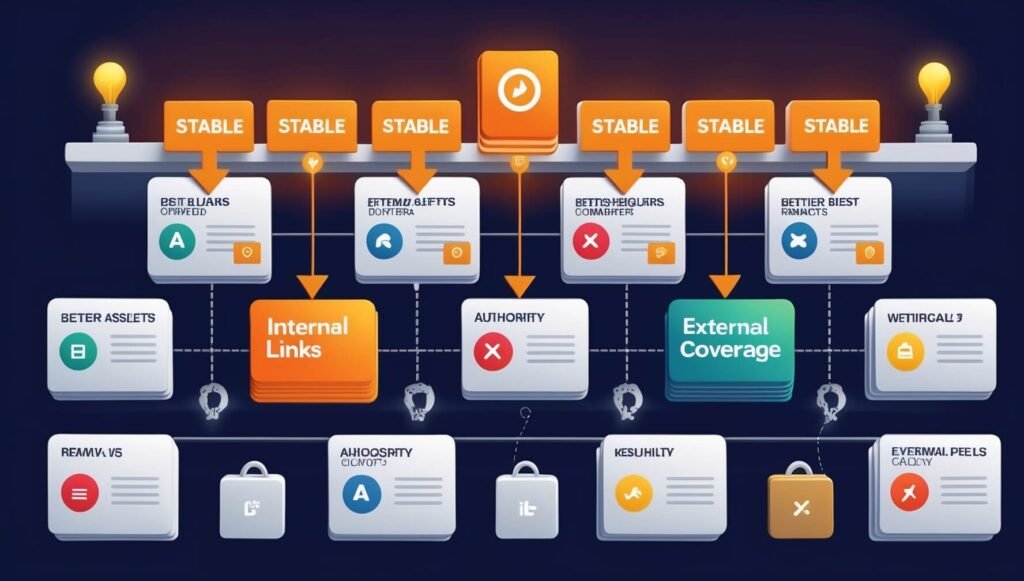
Execution is where ORM either becomes a repeatable system or a panic-driven scramble. The most reliable workflow starts with a disciplined assessment of the search landscape, then builds or strengthens assets, and only then uses rapid indexing tactics to accelerate discovery. The order matters because indexing a weak page faster simply makes a weak page eligible faster; it does not make it competitive.
The steps below are designed to be applied in real teams—marketing, comms, founders, and sometimes legal—without requiring a massive budget. This is one of the main sections where numbering is helpful because ORM works best as a sequence.
Notice the theme: rapid URL indexing is positioned as an accelerator for valuable assets, not as a substitute for value. That distinction is what keeps your ORM work both effective and defensible over the long term.
Negative content is not a single category; it’s a set of situations that require different responses. An incorrect directory listing is not the same as a viral complaint. A policy-violating post is not the same as a legitimate critical review. Treating every negative result as an SEO suppression problem is how ORM budgets get wasted and how reputations become more fragile.
When removal is possible, it is often the cleanest path. Policy violations, defamation, impersonation, privacy breaches, and copyright violations can sometimes be resolved through platform processes or legal channels. That said, removal decisions can carry legal complexity, jurisdiction issues, and unintended consequences. If you are considering legal escalation, consult qualified counsel and document everything. ORM is about reducing harm, not creating a new controversy through aggressive overreach.
Suppression (sometimes called dilution) is often the appropriate approach when negative content is legitimate or will remain online. The objective becomes reducing its visibility for key branded queries by increasing the share of credible, relevant results that provide more complete context. This is where the asset layer and indexing acceleration tactics matter: you’re not trying to “game” the system; you’re trying to ensure the system has better options to show.
A few mistakes consistently backfire in reputation management. One of the most common is publishing thin “reputation cleanup” content that reads as defensive marketing. Search engines and humans both recognize empty reassurance. Another is launching multiple near-identical pages targeting the brand name, which can create keyword cannibalization and dilute authority rather than concentrate it. A third is ignoring reviews and community conversations, then expecting SEO alone to repair trust. If the public sees unanswered complaints, even strong SEO assets may feel like a cover-up rather than a correction.
Professional ORM also avoids the “Streisand effect,” where attempts to hide or attack negative content attract more attention to it. Sometimes the best move is measured transparency: acknowledge the issue, clarify what changed, and provide proof. Search results can evolve in your favor when the market sees maturity and accountability, especially if you pair transparency with improved customer experience and credible third-party signals.
Rapid URL indexing can play a role here, but only in the right way. If you publish a clear response page, a policy update, or a third-party clarification, accelerating indexation can help your corrective narrative become discoverable before misinformation spreads further. The goal is not to outrank by force; the goal is to ensure accurate content becomes available quickly enough to matter.
Reputation rarely collapses overnight; it usually erodes through neglect. A stale profile, an unanswered review pattern, a broken contact pathway, or an outdated policy page can quietly accumulate doubt until one event triggers scrutiny. The most resilient brands treat ORM as maintenance: small, regular actions that keep the public narrative accurate and stable.
Monitoring should be designed around the places where perception forms. Branded search is one layer, but review platforms, social comments, community threads, and business directories can influence search results and decision-making even if they don’t rank first. A practical monitoring system tracks branded queries weekly, review volume and sentiment trends, and new mentions on high-authority platforms relevant to your category.
Maintenance is where indexing strategy becomes an advantage. When you update a high-credibility page—such as a policy page, pricing explainer, or press page—ensuring that updates are discoverable and indexed promptly helps prevent outdated information from lingering as the “official” story. Indexing acceleration methods are most valuable here because they reduce drift between what’s true now and what search results imply.
Another maintenance lever is controlled content refresh. If you have reputation assets that rank, keep them current. Update dates where appropriate, add new proof points, refresh screenshots, improve FAQs based on real user questions, and strengthen internal linking as your site grows. This is not manipulation; it’s stewardship. Search engines and users both reward accurate, maintained information because it reduces uncertainty.
Operationally, make someone accountable for ORM. Without ownership, monitoring alerts get ignored and response times slip. With ownership, you can build a predictable cadence: weekly SERP scan, monthly profile audit, quarterly content refresh, and a clear escalation protocol for spikes in negative attention. That cadence turns ORM from a reactive scramble into a managed risk function.
When ORM is treated as a system, a rapid URL indexer becomes a small but useful part of the toolkit. It speeds up the moments where speed matters, while the rest of your program builds the credibility that determines long-term rankings. That combination—speed plus substance—is what produces durable reputation outcomes.